
Why Are My Google Ads Not Showing? (And How to Fix It)
By Adrian Chromenko, primarydm.com·November 21, 2026·6 min read
You set up your Google Ads, but they're not showing up. The campaign isn't getting impressions, nobody is clicking, and you're not sure whether the ads are even running. The good news: Google Ads almost always tells you why, if you know where to look. This guide walks through your account in the order most likely to find the problem, with the fix for each. Watch the video above, or follow the steps below.
First, check that your ads really aren't showing
Open Campaigns and look at the Impressions column for the last 7 days. An impression is counted each time your ad is shown. If a campaign has 0 impressions, nobody has seen it, and something in your account is stopping it.
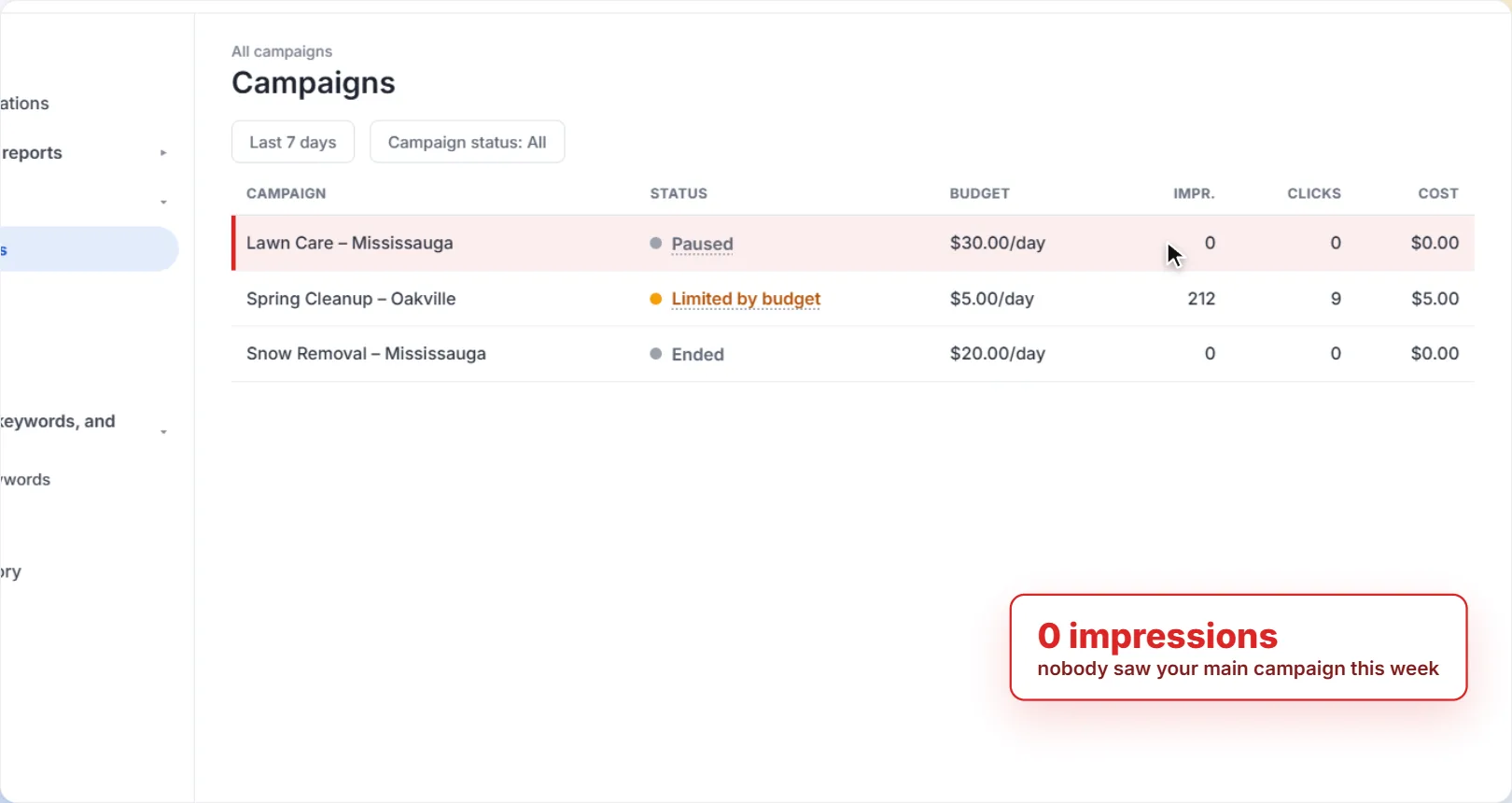
Don't search for your own ad on Google to check. Each time you search and don't click, you add an impression with no click, which can lower your click-through rate. You also might not see the ad even when it's running. Use the Ad preview and diagnosis tool instead (step 6).
Quick checklist: what each status means
Most of the time, the answer is in a Status column. Here's what the common ones mean and what to do.
| Status you see | What it means | Fix |
|---|---|---|
| Paused | You (or someone on your account) paused it. Paused campaigns, ad groups and ads don't show. | Click the status and choose Enable. |
| Ended / Pending | The campaign is past its end date, or its start date hasn't arrived yet. | Change the start or end date in the campaign settings. |
| Limited by budget | Your daily budget is too low to show your ads as often as they could. | Raise the budget, or focus it on fewer, better keywords. |
| Disapproved | The ad or its landing page breaks a Google Ads policy. Disapproved ads get no impressions. | Hover to see which policy, fix it, and the ad is reviewed again. |
| Under review | Google is still checking the ad. Most reviews finish within one business day. | Wait. If it takes longer than a business day, check the ad's status again. |
| Not eligible | The ad can't run because its campaign or ad group is paused, removed, ended or pending, or the ad group is incomplete. | Fix the campaign or ad group it belongs to. |
| Low search volume | Very few people search for this keyword, so it's inactive for now. | Add broader keywords that people actually search for. |
How to find out why your Google Ads aren't showing
1Check the Status column in Campaigns
Open Campaigns and look at the Status column. A campaign that's running shows Eligible. Anything else, like Paused, Ended or Limited by budget, tells you where to look.
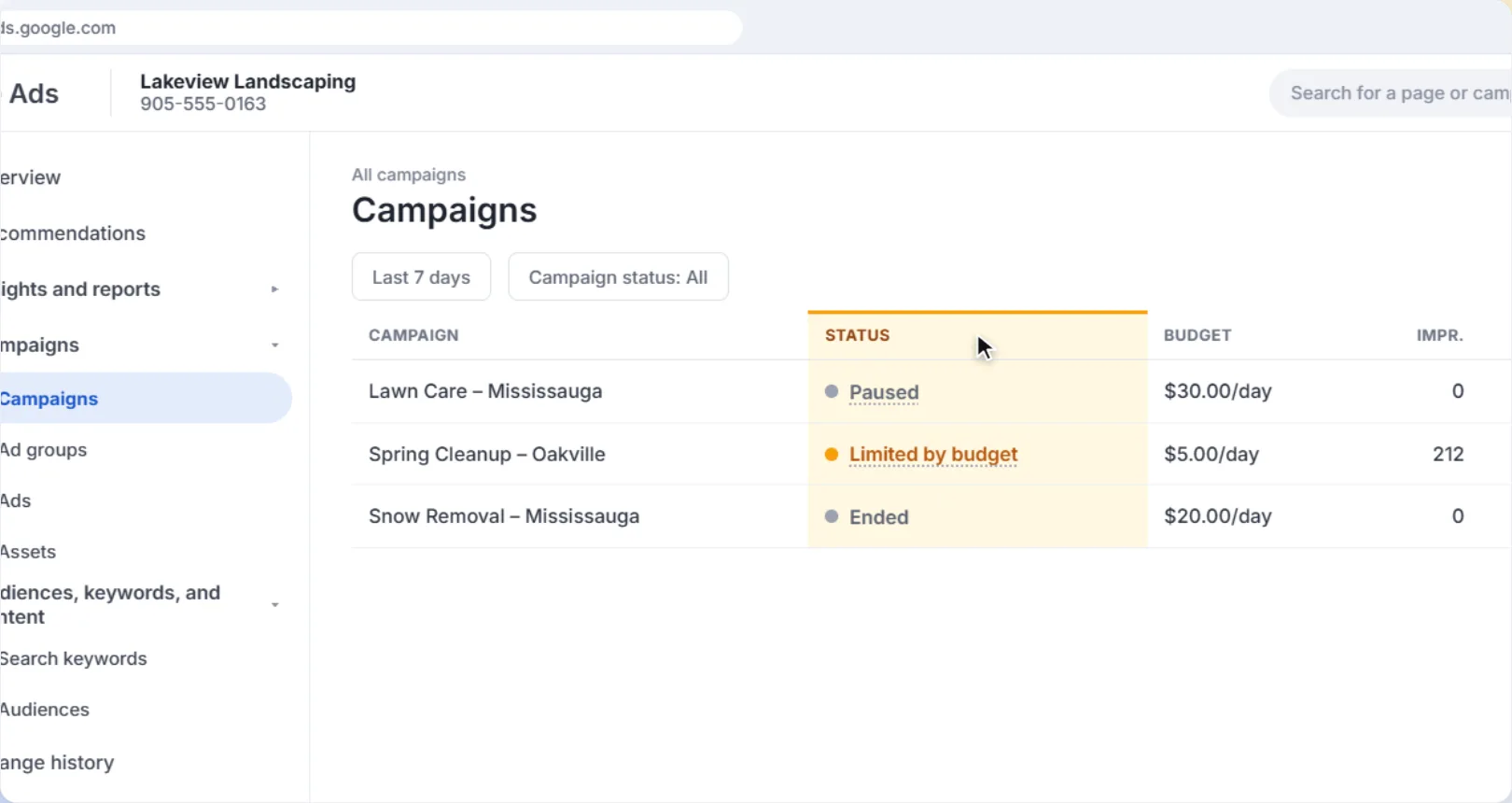
2Hover over a status to see the reason
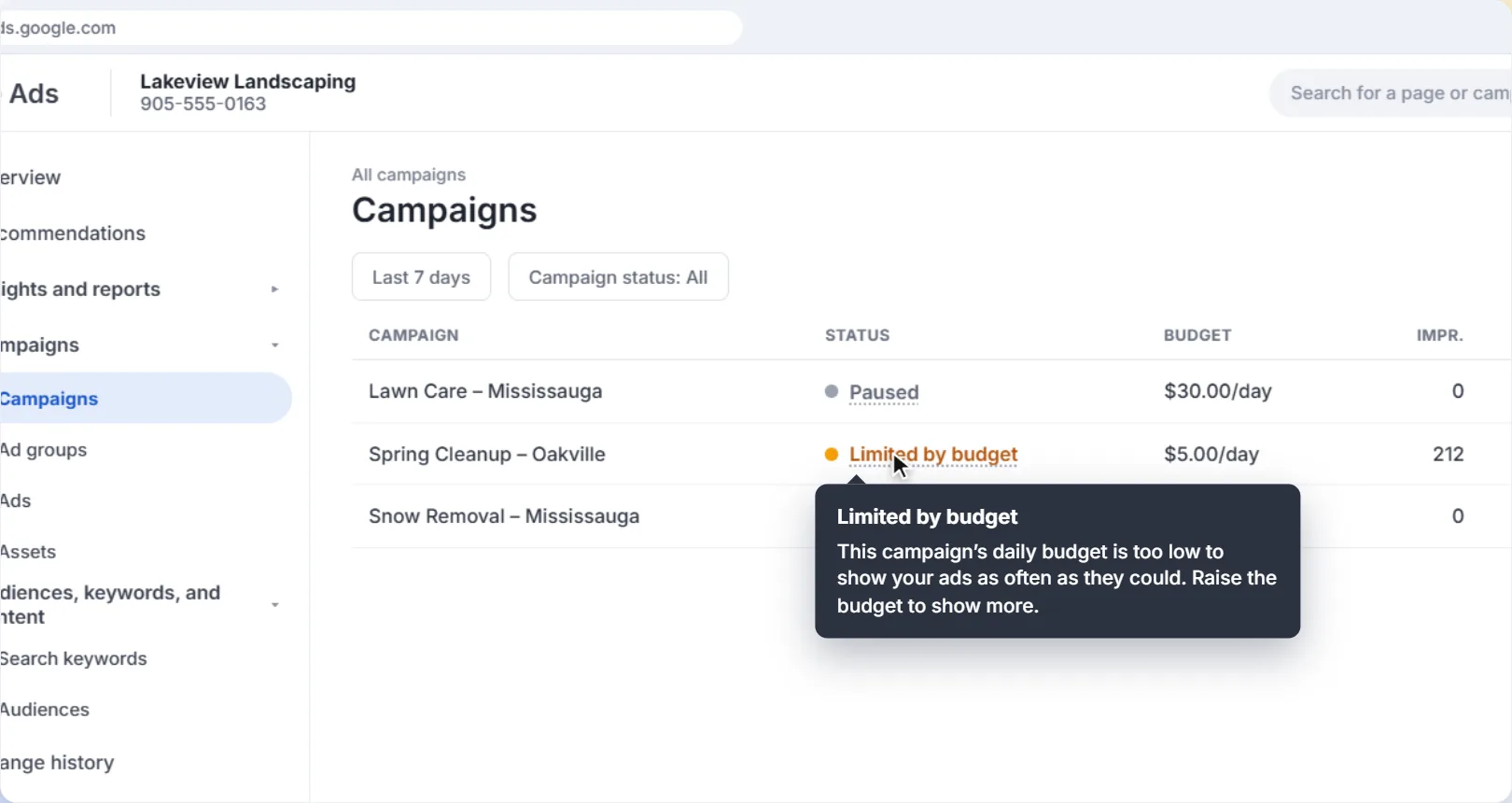
Hover over a status to see a short explanation. Limited by budget, for example, means your daily budget is too low to show your ads as often as they could. A very low budget compared to your cost per click can keep a campaign from running much at all.
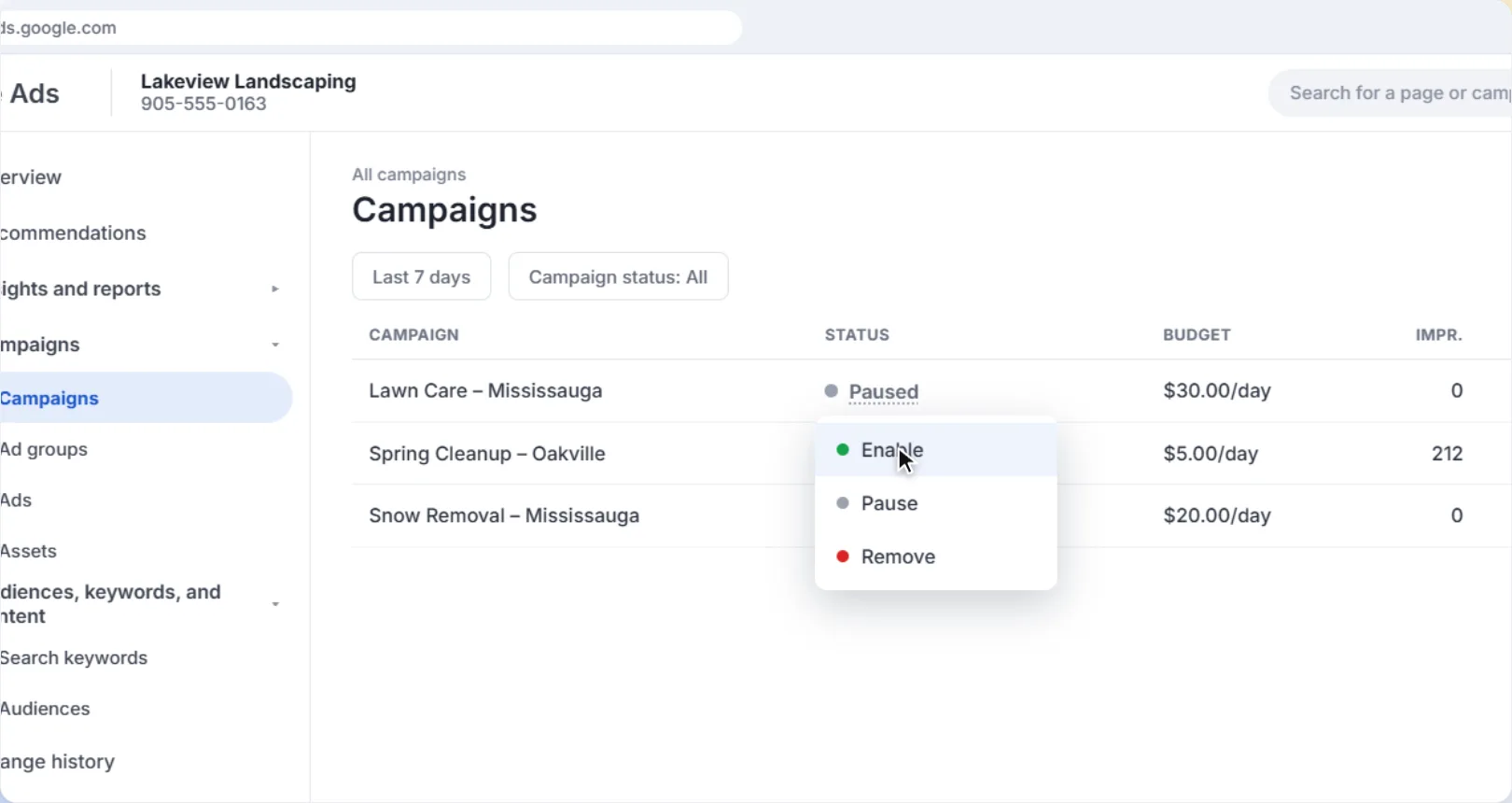
If a campaign says Paused, click the status and choose Enable.
3Check your billing
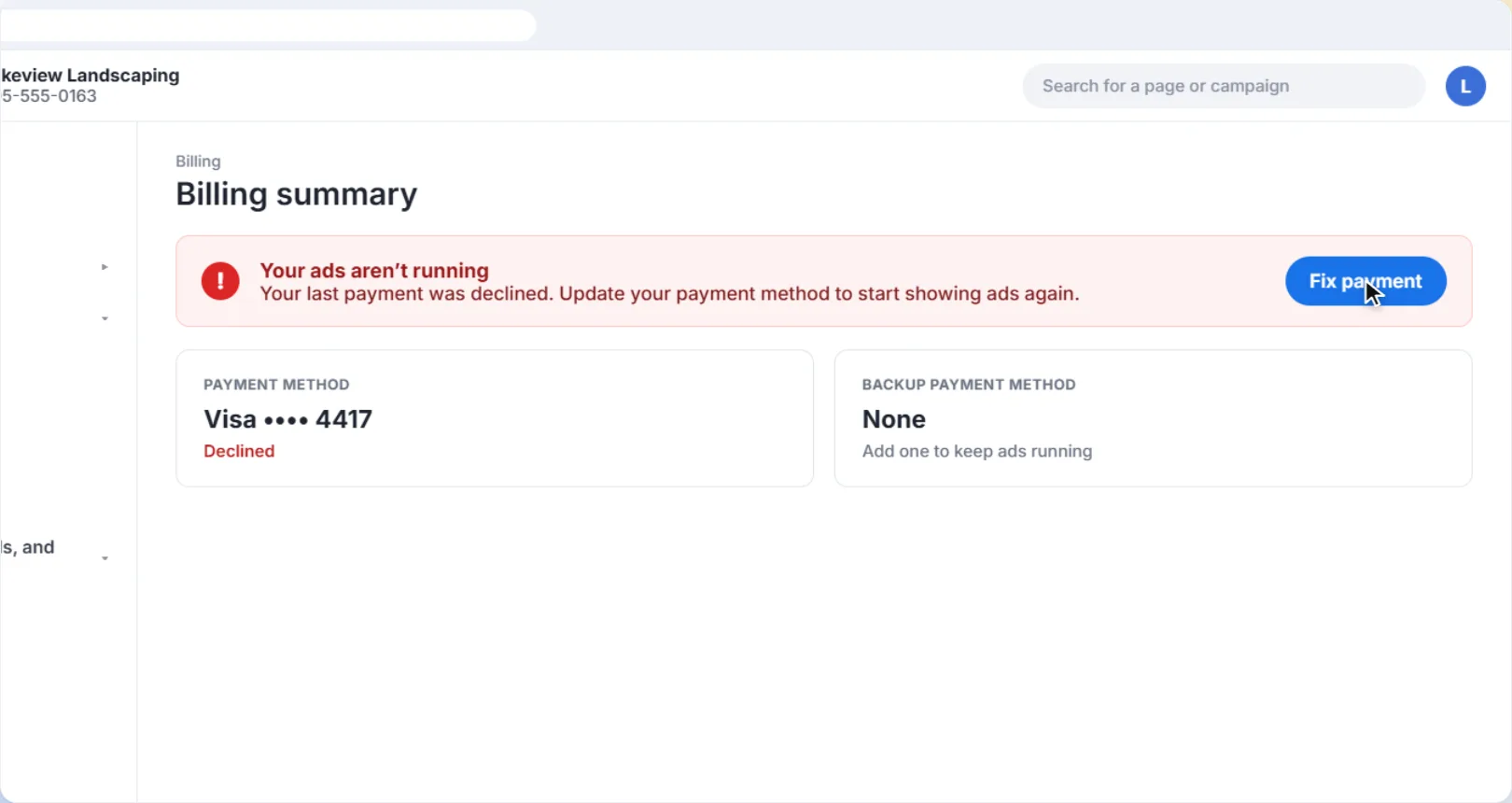
Click Billing in the left-hand menu. Your ads won't run until your account has valid billing information, and a declined payment stops them too. If there's a problem, Google shows it at the top of the billing page. A backup payment method helps keep ads running if your main card is declined.
4Look for disapproved ads
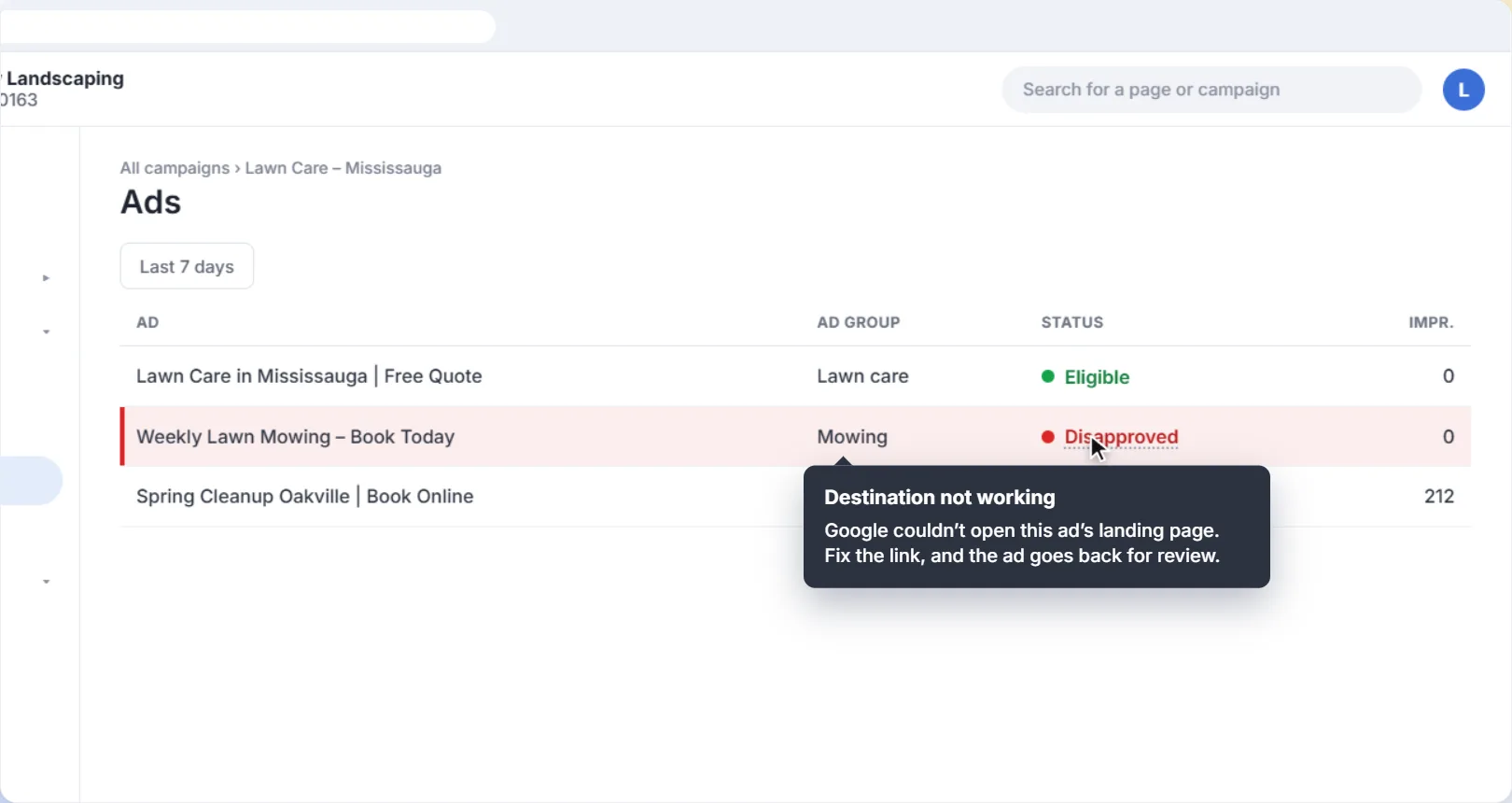
Open Ads and check the Status column. If an ad says Disapproved, hover over it to see which policy it broke. A common one for small businesses is Destination not working, which means Google couldn't open the page your ad links to. Fix the problem and the ad goes back for review.
5Look for keywords with Low search volume
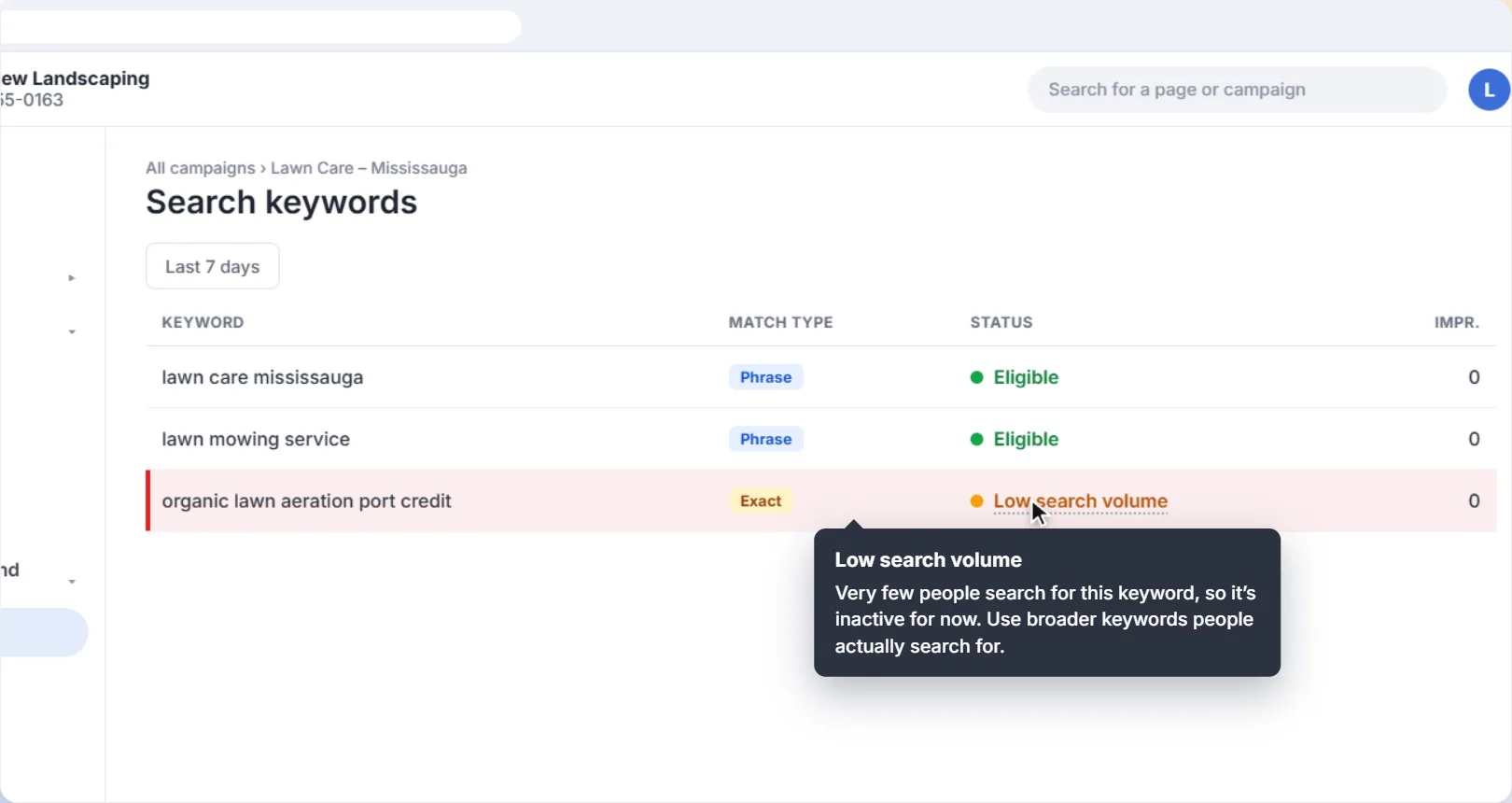
Open your Search keywords. A keyword marked Low search volume is very specific, like organic lawn aeration port credit. Too few people search for it, so it won't show your ads for now. Add broader keywords people actually type, like lawn care mississauga.
6Use the Ad preview and diagnosis tool
Click Tools, then under Troubleshooting, open Ad preview and diagnosis. Type a search, pick a location and device, and the tool shows whether your ad is appearing. If it isn't, it tells you why. It doesn't add impressions to your account, so it's the right way to check.
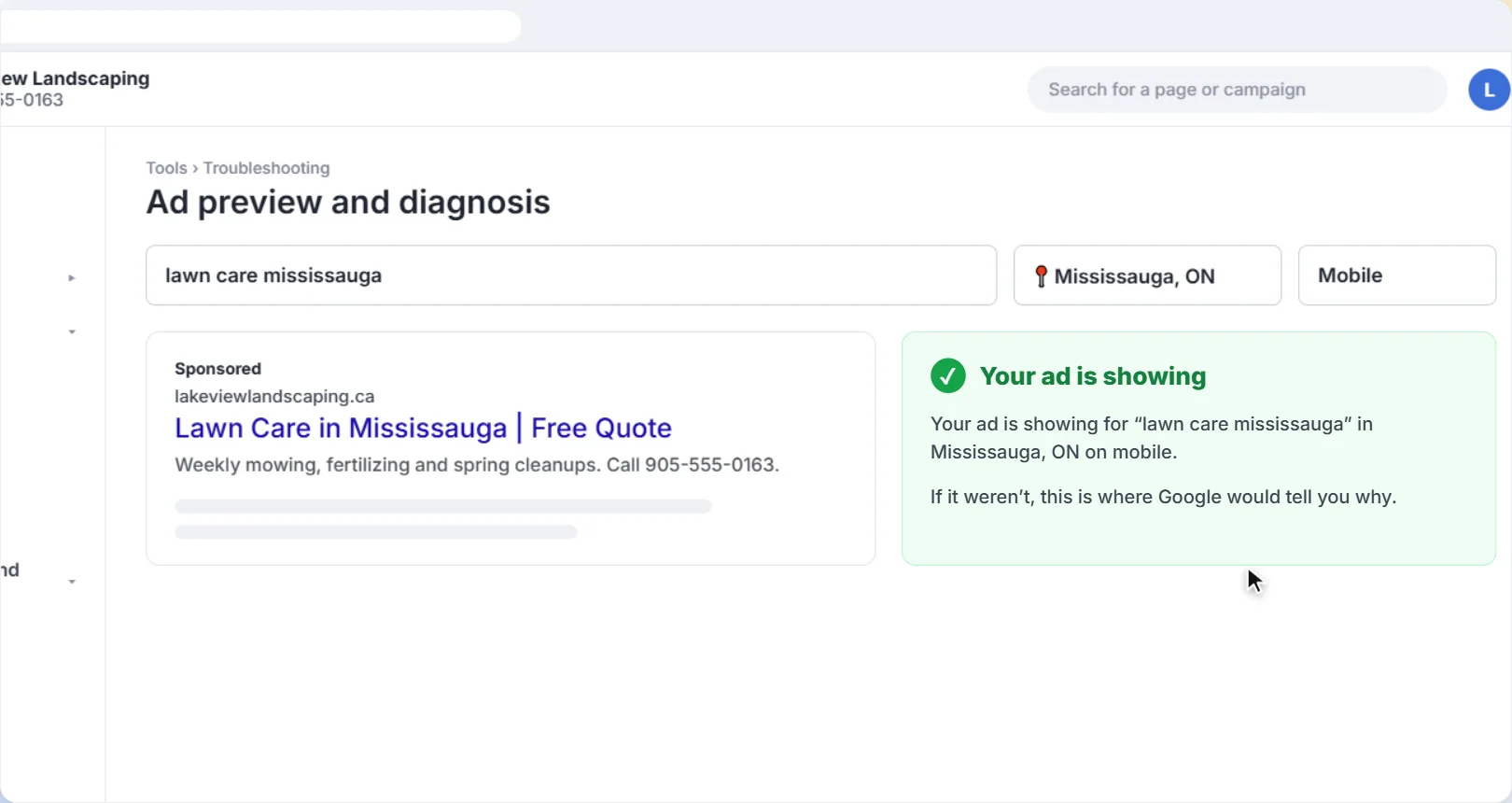
The tool is a simulation. Google notes that Ad preview and diagnosis can't reflect everything, such as a real searcher's history and the live auction. If the tool and your campaign's actual impressions disagree, trust the impressions.
Still not showing? Check your targeting
If everything above looks fine, your ads may be running, just not where or when you're looking.
- Location. If you're outside the area you target, you won't see your ads. Check your location targeting matches the area you serve.
- Ad schedule. A schedule that only runs your ads during business hours means they won't show in the evening. Google also warns that a very restrictive schedule can hold ads back. See how to set an ad schedule.
- Low Ad Rank. Google ranks ads by bid and quality. If your bids are low or your ads and landing page don't match the keywords well, your ad can lose the auction and not show. Making the ad text and landing page match what people search for helps.
And once your ads are showing again, make sure the clicks are worth paying for: check the search terms report and add negative keywords for searches that will never become customers.
Make it a habit. Check the Status column in Campaigns, Ads and Keywords once a week. Most problems, like a declined card or a disapproved ad, show up there first, and fixing them quickly means less time with no ads running.
Want help with your Google Ads?
We set up and manage Google Ads for local businesses in Mississauga and across the GTA: the right service area, keywords that bring in jobs, and landing pages that turn clicks into customers.
Get help with your Google AdsThe screens in this guide are simplified illustrations of Google Ads; Google updates its layout often, so labels may differ slightly in your account. Google's own guides: Why you may not see your ad, Find your ad status and About the Ad preview and diagnosis tool. The landscaping business and figures are examples.
More Google Ads guides
 Video guide
How to Use the Search Terms Report in Google Ads
See the exact searches that triggered your ads, block the ones that waste money, and turn the ones that bring in jobs into keywords, with a narrated video walkthrough.
6 min read
 Video guide
How to Add a Call Button to Your Google Ads (Call Assets)
Let people on phones call you straight from your ad. A narrated video and step-by-step guide to adding a call asset, scheduling it for your business hours, and counting calls as conversions.
5 min read
 Video guide
How to Set an Ad Schedule in Google Ads
Only run your ads when someone can answer the phone: set the days and hours your Google Ads show, with a narrated video walkthrough.
5 min read
 Video guide
How to Target Your Service Area in Google Ads
Make sure your ads only reach people you can actually serve: set a radius around your business and switch the location option to Presence, with a narrated video walkthrough.
5 min read
 Video guide
How to Add Negative Keywords in Google Ads (Step by Step)
Stop paying for clicks that never turn into customers. A narrated video and step-by-step guide to adding negative keywords in Google Ads, with match types explained and a starter list.
5 min read