
How to Add a Call Button to Your Google Ads (Call Assets)
By Adrian Chromenko, primarydm.com·November 21, 2026·5 min read
When someone searches for a garage door repair or a plumber on their phone, they often want to talk to someone right away, not fill in a form. A call asset adds your phone number to your ad, so on a phone people see a Call button and can reach you in one tap. It takes a few minutes to set up. Watch the video above, or follow the steps below.
Why add a call button
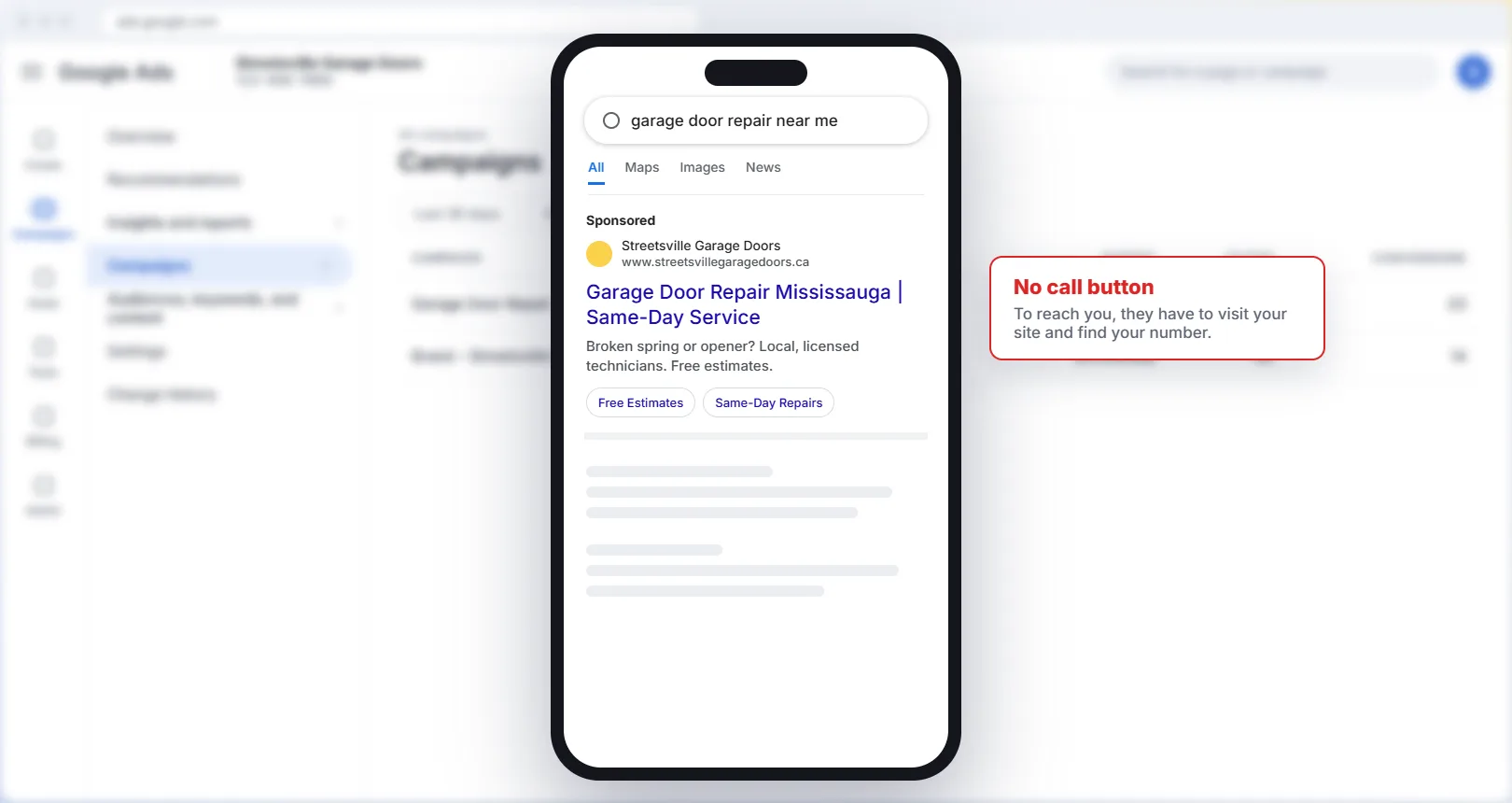
Without a call asset, someone who wants to phone you has to click through to your website and find your number first. Some will, and some will go back and call the next business on the page. With a call asset, your number is right in the ad.
How to add a call asset
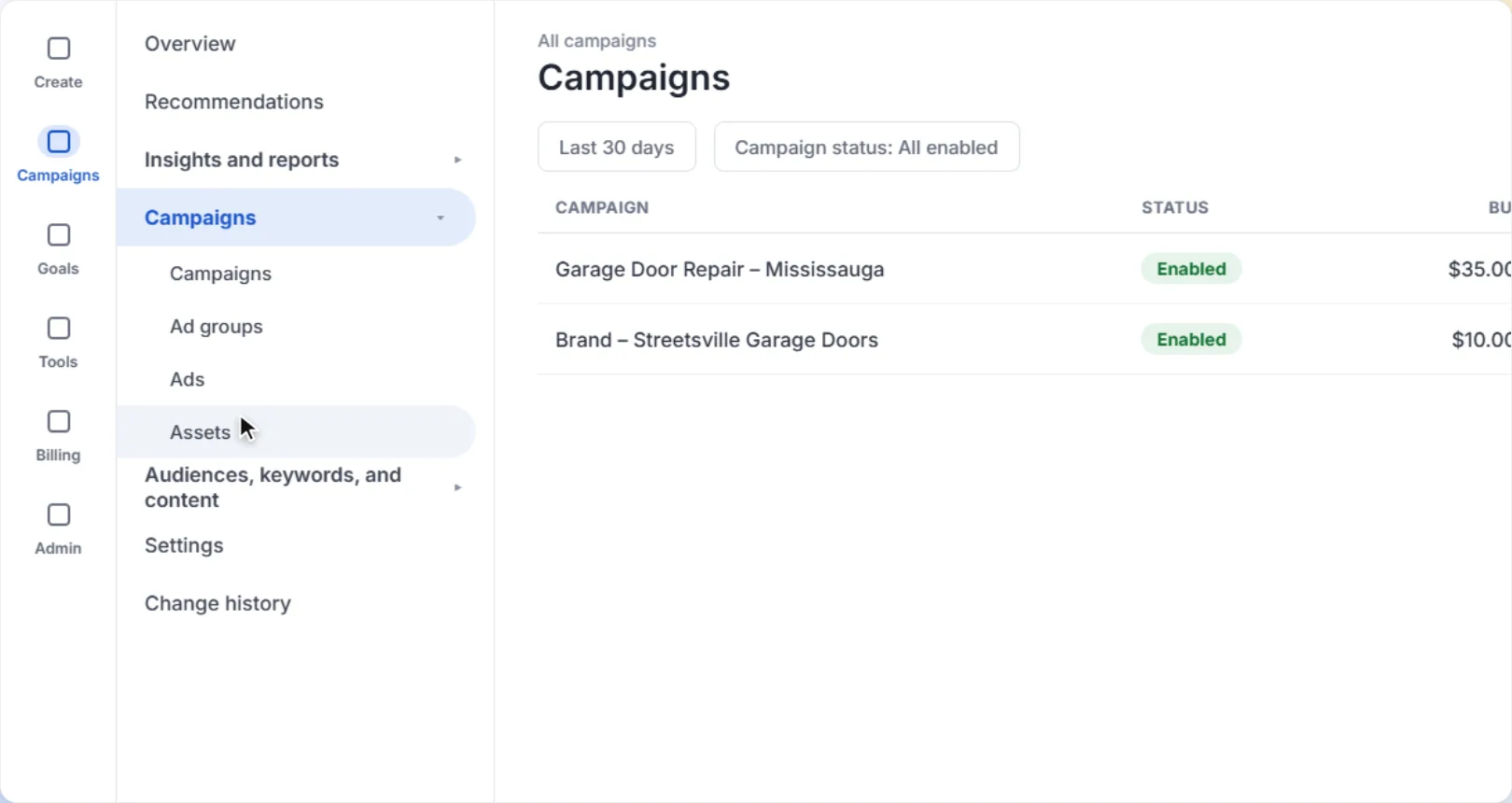
1Open Assets
In the left menu, open Campaigns, then click Assets. You'll see the assets you already have, like sitelinks and callouts.
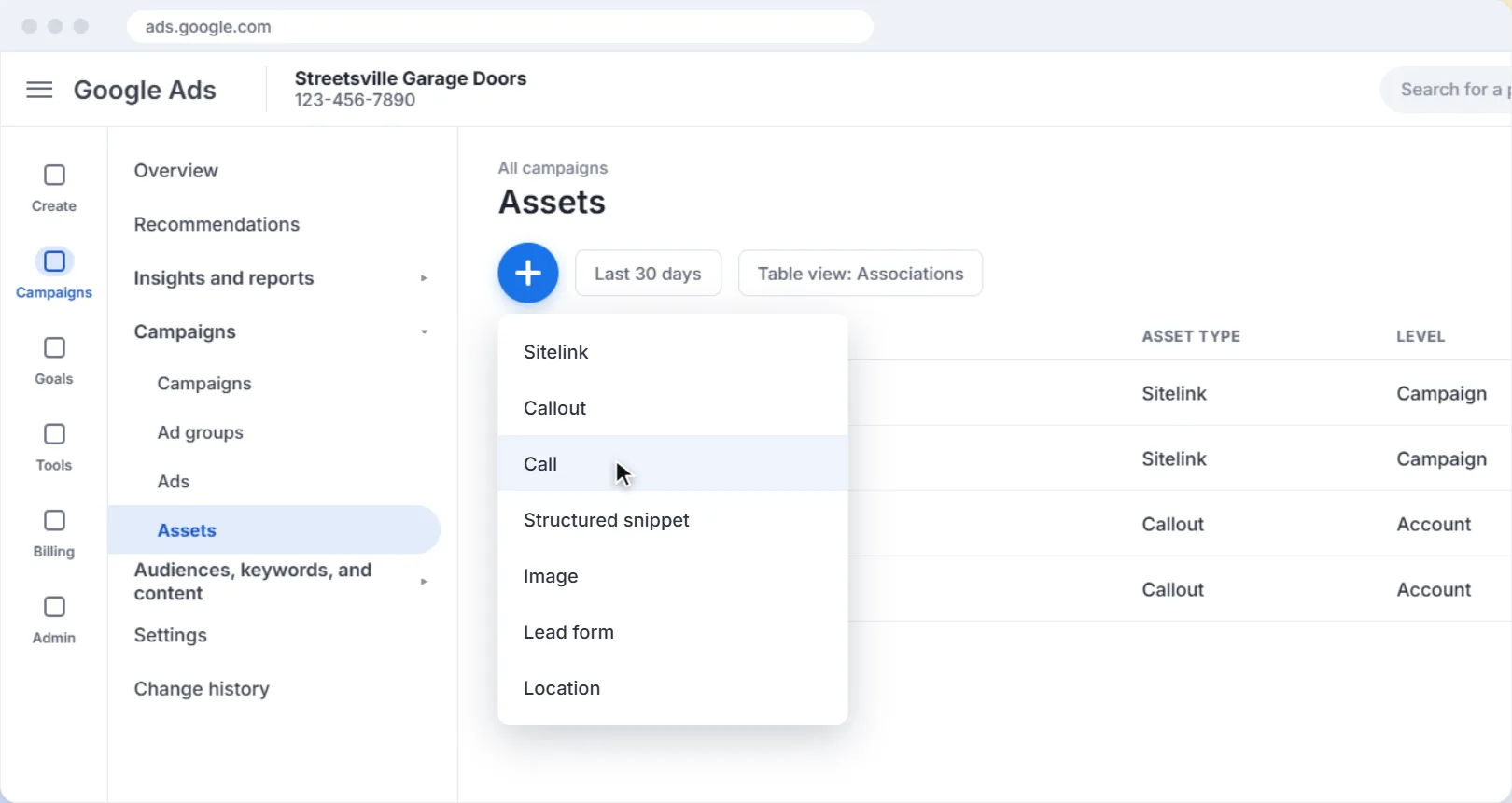
2Click the plus button and choose Call
Click the blue plus button, then choose Call from the list. This opens the Add call asset page.
3Choose where to add it
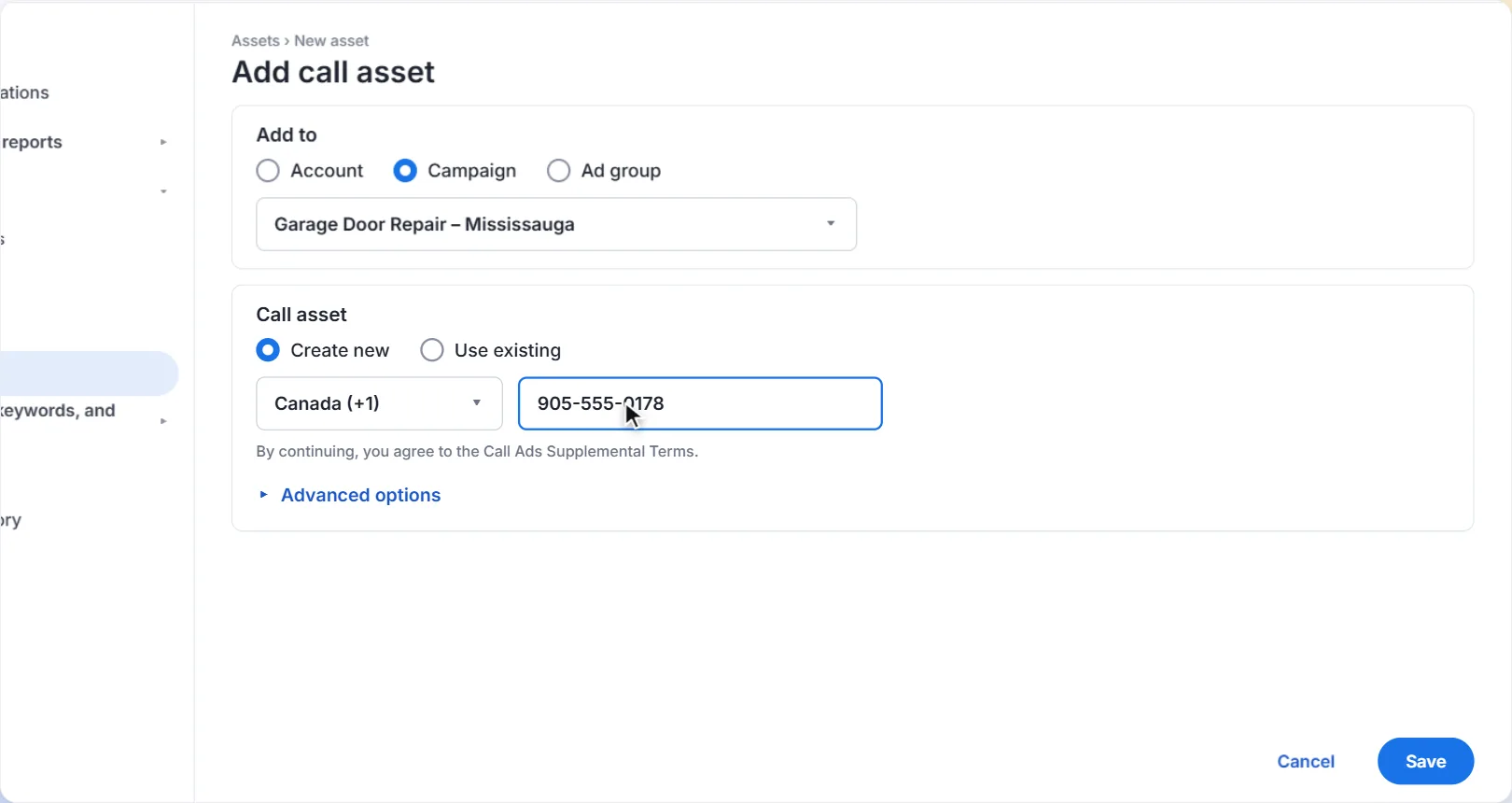
Under Add to, choose Account, Campaign or Ad group. Account adds your number to every campaign. If different campaigns need different numbers (for example, two locations), choose Campaign and select the campaign. If you add call assets at more than one level, Google uses the most specific one.
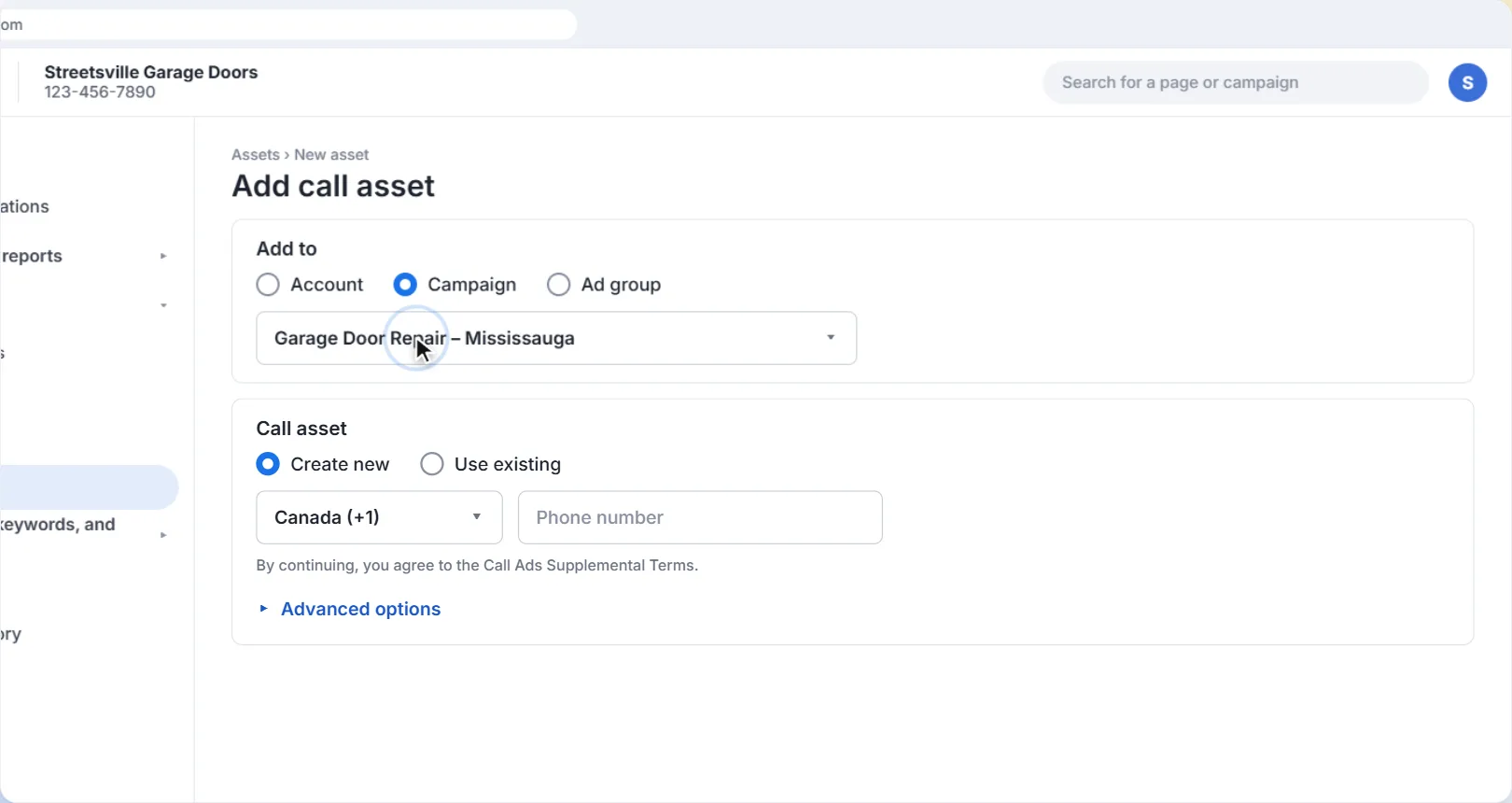
4Enter your phone number
Choose Create new, check the country, and enter the phone number you want customers to call. Use a number that someone actually answers during business hours.
5Set a schedule (optional)
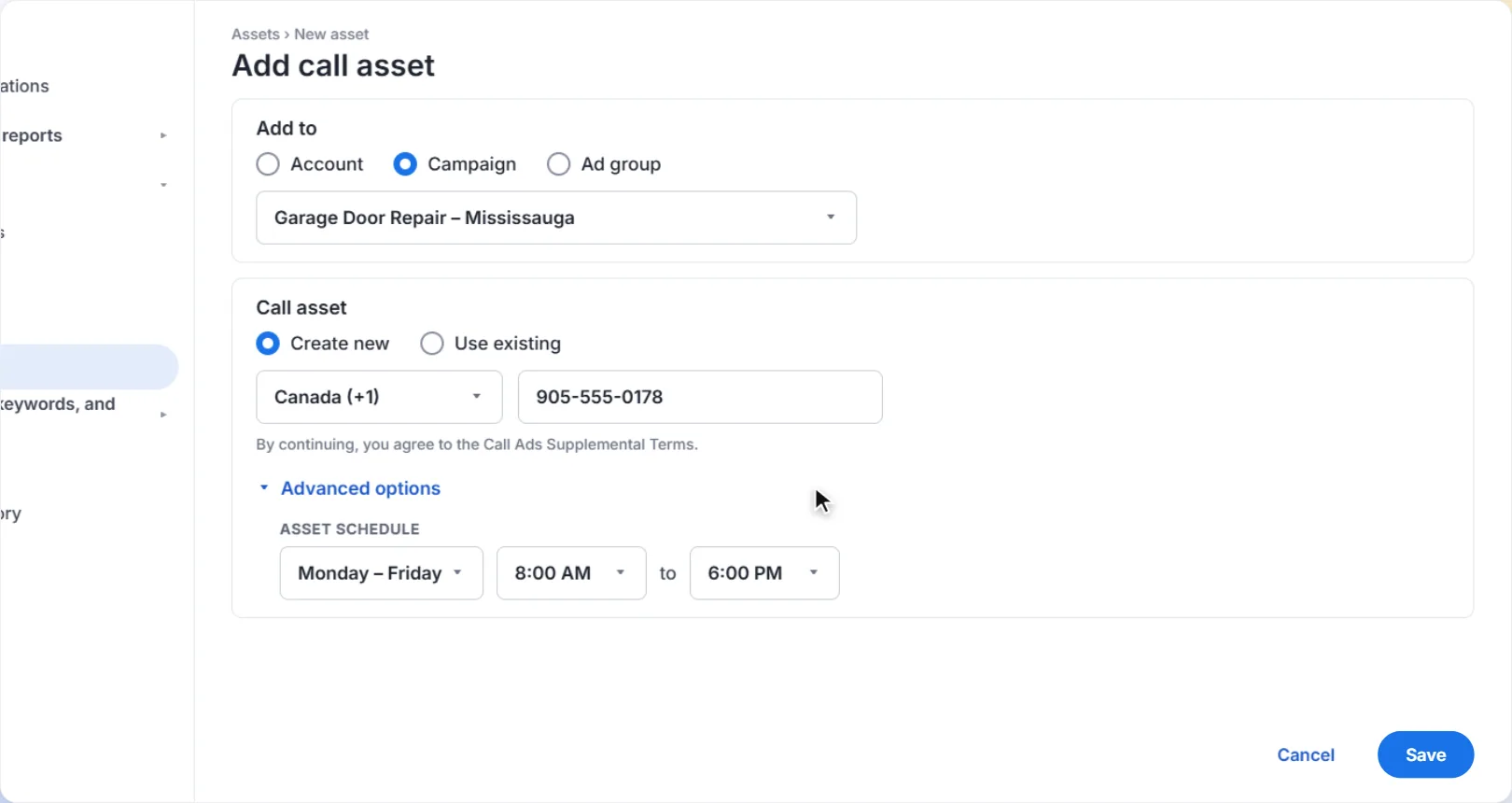
Open Advanced options and add a schedule, for example Monday to Friday, 8:00 AM to 6:00 PM. Your number then only shows when someone can pick up, so people aren't calling at night when nobody can answer.
6Save
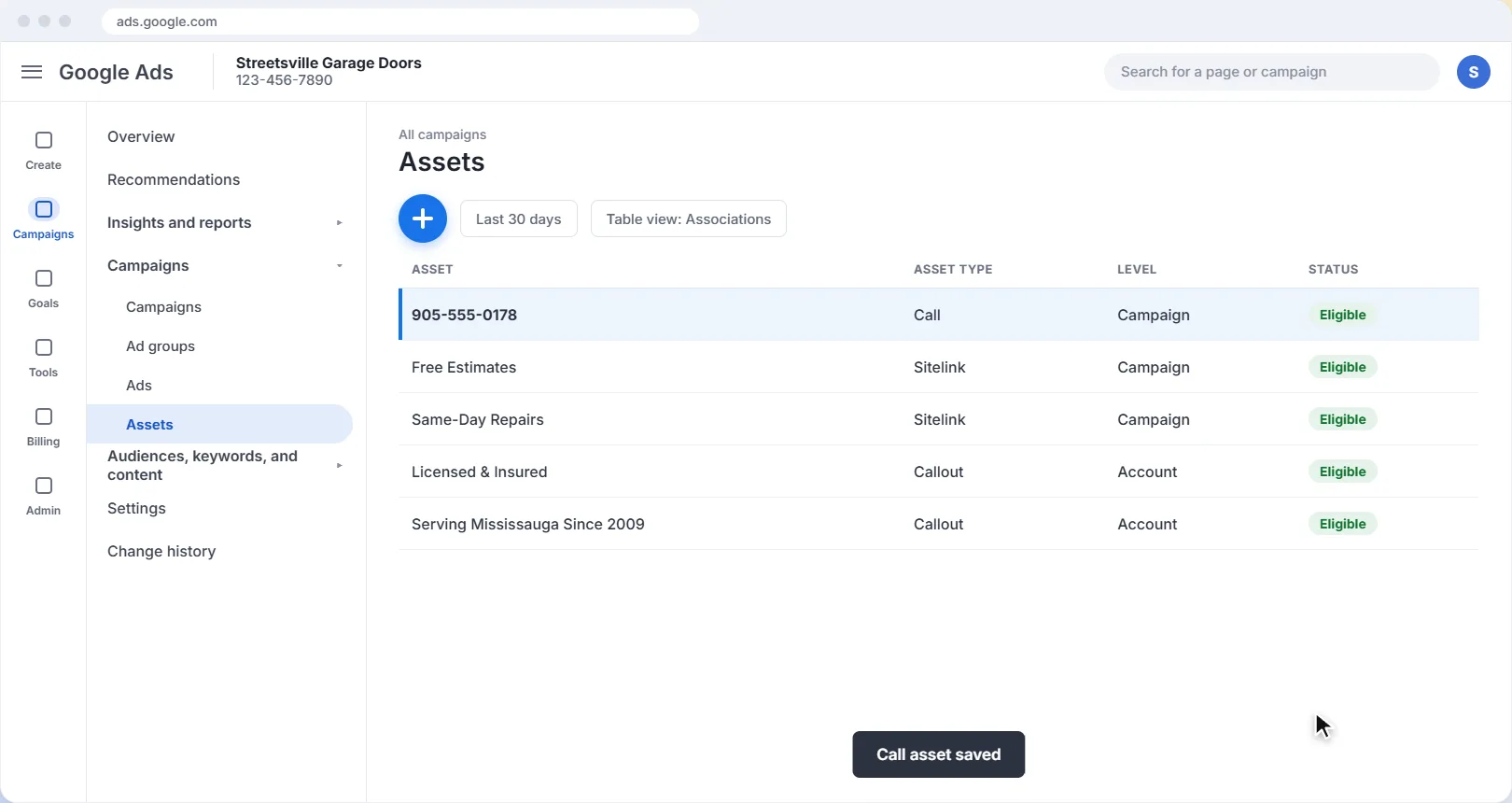
Click Save. Your call asset now appears in the Assets list with your other assets. Like other assets, Google decides when to show it, so it won't appear with every ad.
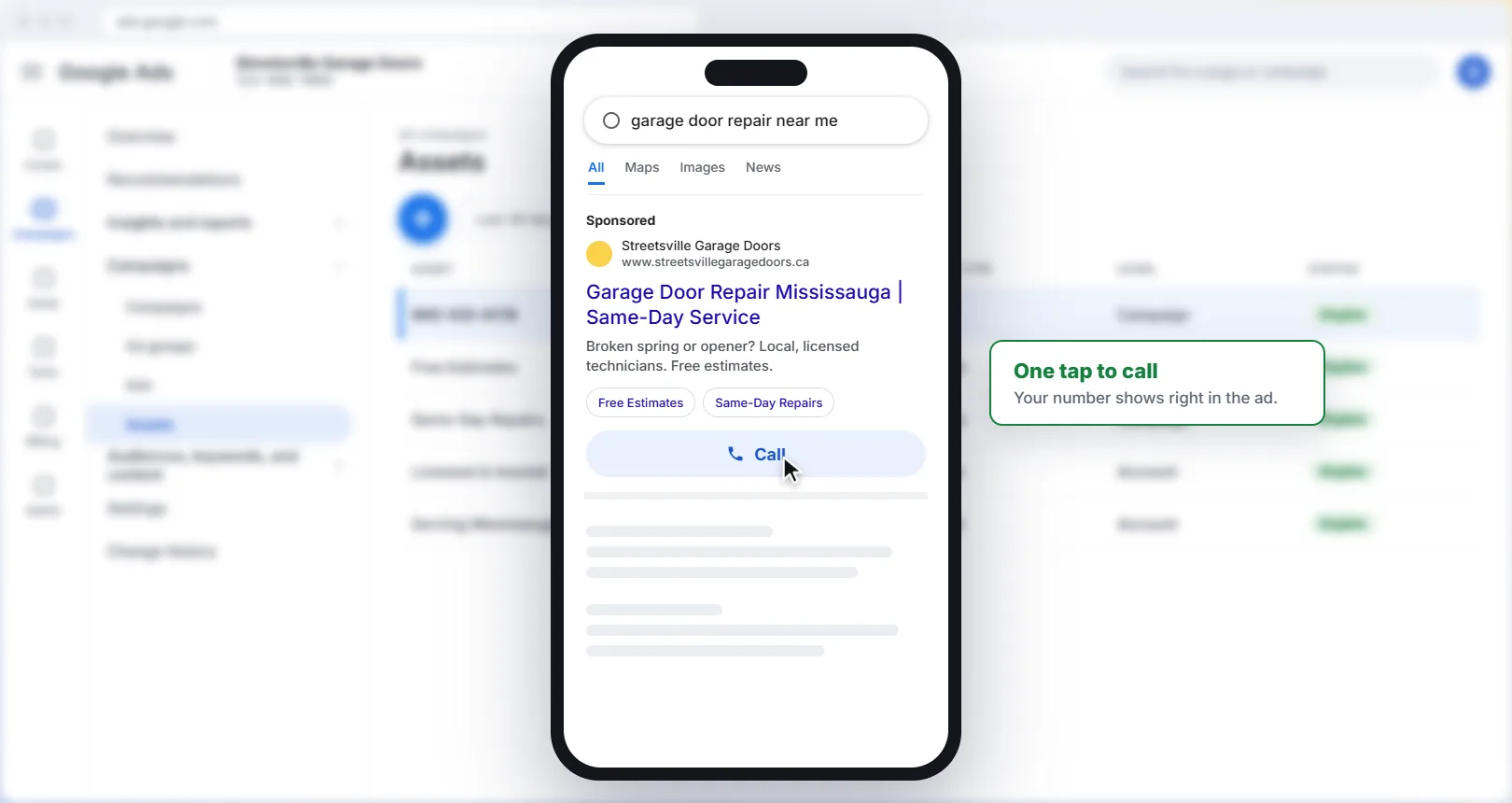
Here's what people on a phone see once it's live: your ad with a Call button that dials your number.
Account, campaign or ad group?
| Level | Where your number shows | Best for |
|---|---|---|
| Account | With ads in every campaign | Businesses with one phone number |
| Campaign | With ads in the campaigns you pick | Different numbers for different locations or services |
| Ad group | With ads in the ad groups you pick | A department with its own line, like sales or emergency service |
Count the calls your ads bring in. When you set up a call asset, Google Ads offers to turn on call reporting and to count calls as conversions. Turn both on. Call reporting shows how many calls came from your ads and how long they lasted, and you can count calls longer than a length you choose as conversions. That way you can see which ads and keywords actually make your phone ring, not just which ones get clicks.
A few more tips
- Make sure your ads reach the right people. A call button only helps if the caller is someone you can serve. Set a radius around your business so your ads stay local: see how to target your service area.
- Match your schedule to your ads. If you only answer the phone during the day, you can also set an ad schedule so your whole campaign runs when you're open.
- Watch for calls about things you don't do. If people call asking for services you don't offer, check which searches triggered your ads in the search terms report, and block them with negative keywords.
Answer the phone. A call button works best when someone picks up. If calls often go to voicemail, shorten your call asset schedule to the hours you can really answer.
Want help with your Google Ads?
We set up and manage Google Ads for local businesses in Mississauga and across the GTA: the right service area, keywords that bring in jobs, and landing pages that turn clicks into customers.
Get help with your Google AdsThe screens in this guide are simplified illustrations of Google Ads; Google updates its layout often, so labels may differ slightly in your account. Google's own guides: About call assets and Measure calls from ads. The garage door business and phone number are examples.
More Google Ads guides
 Video guide
How to Use the Search Terms Report in Google Ads
See the exact searches that triggered your ads, block the ones that waste money, and turn the ones that bring in jobs into keywords, with a narrated video walkthrough.
6 min read
 Video guide
How to Set an Ad Schedule in Google Ads
Only run your ads when someone can answer the phone: set the days and hours your Google Ads show, with a narrated video walkthrough.
5 min read
 Video guide
How to Target Your Service Area in Google Ads
Make sure your ads only reach people you can actually serve: set a radius around your business and switch the location option to Presence, with a narrated video walkthrough.
5 min read
 Video guide
How to Add Negative Keywords in Google Ads (Step by Step)
Stop paying for clicks that never turn into customers. A narrated video and step-by-step guide to adding negative keywords in Google Ads, with match types explained and a starter list.
5 min read